


Pre-recording is available only when using Motion Detection and can be viewed exclusively during local playback. This feature is not supported for Smart Motion Detection (SMD), continuous recording, or through the Lorex app or cloud services. The duration of the pre-recorded footage may vary based on the recorder available cache memory at the time the event was detected, up to a maximum time set by the user.
All trademarks belong to their respective owners. No claim is made to the exclusive right to use the trademarks listed, other than the trademarks owned by Lorex Corporation. We reserve the right to change models, configurations or specifications without notice or liability. Product may not be exactly as shown.
Apple, the Apple logo and AppleTV are trademarks of Apple Inc., registered in the U.S. and other countries. App Store is a service mark of Apple Inc.
Google, Google Home, Google Play, Google Play logo, Google Assistant logo and Chromecast are trademarks of Google Inc.
Amazon, Alexa and all related logos are trademarks of Amazon.com, Inc. or its affiliates. 2-way communication is not available via Alexa.

Fusion Series 4K 16 Camera Capable (Wired or Fusion Wi-Fi ) 4TB NVR
Skip to product information


Fusion Series|
N864A64B
Fusion Series 4K 16 Camera Capable (Wired or Fusion Wi-Fi ) 4TB NVR
Key Features:
- 4K Ultra HD Resolution
- Built-in 4TB Storage. Expandable up to 2 × 10TB
- Connect up to 16 cameras (16 Wired or 16 Fusion Wi-Fi)
- Works with the Lorex Classic mobile app
Become a Partner and Log in to access volume pricing, build your system, and place orders.
Add-ons
Quick Order
Become a Partner and Log in to access volume pricing, build your system, and place orders.
Product Compatibility List
What's Included
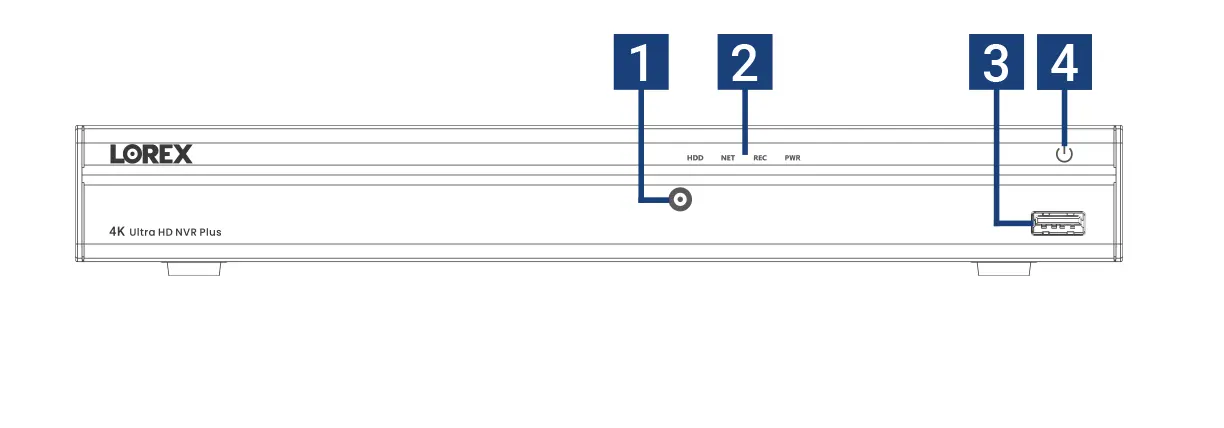
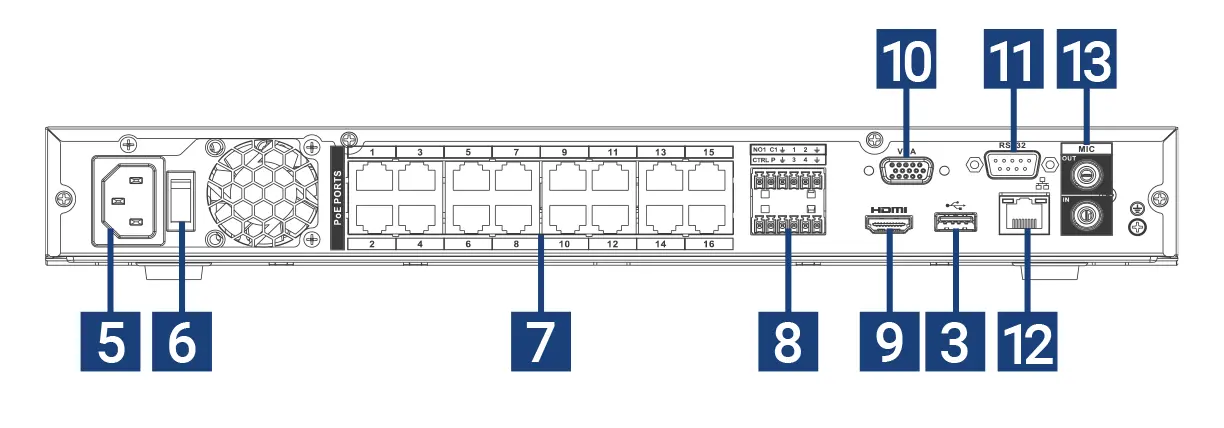
- Info / Panic Button
- Hard Drive, Network, Recorder & Power LEDs
- USB
- Power Button
- Power Input
- Power Switch
- PoE Ports
- Alarm
- HDMI
- VGA Port
- RS232
- LAN
- Audio In / Out
Package Contents:
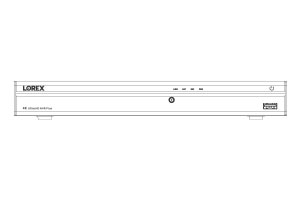
4K Fusion NVR
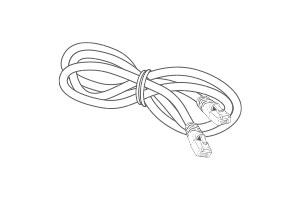
Ethernet Cable
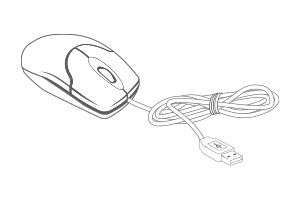
USB Mouse
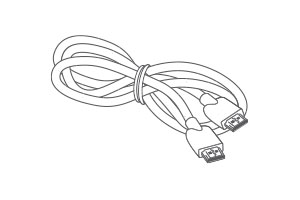
HDMI Cable
- 4K (8MP) IP cameras are required to take advantage of 4K recording.
- Recording time may vary based on recording resolution and quality, lighting conditions and movement in the scene.
- This Fusion NVR can connect to 16 wireless devices per system. The NVR must be connected to the your Wi-Fi Router via network cable. Wireless devices require an available channel on the NVR as well as a sufficient signal strength between the device(s) and your Wi-Fi router for video streaming. For full details on Wi-Fi cameras compatibility and instructions, visit www.lorex.com/pages/fusion
- Controlling certain features in your security system requires a compatible smart device. Availability and performance of certain features and services are smart device dependent and may not be available in all areas or networks. For compatibility, features, and instructions visit www.lorex.com
- Accuracy of Smart Motion Detection will be influenced by multiple factors, such as the object’s distance from the camera, the size of the object, and the height and angle of the camera. Night vision will also impact the accuracy of detection. Compatible with certain Lorex IP cameras only.
- Compatible with certain Lorex IP and select wireless cameras only. For a list of compatible cameras please visit www.lorex.com/compatibility
- Accessing your security system remotely requires a high-speed Internet connection. Ensure your NVR has a wired connection to a router (not included). A minimum upload speed of 5Mbps is recommended for reasonable video performance. Up to 3 devices may connect to the system at the same time. For the latest list of supported apps and devices, please visit www.lorex.com/compatibility
- HDMI output supports 4K HD for high definition multi-channel live or recorded video viewing. Image quality and resolution is dependent on the type of camera connected to the NVR, as well as TV/monitor resolution.
- NVR has a total PoE power output of 130w. Different IP cameras have different wattage specifications. Please double check your camera specifications for power consumption (Wattage) requirements in order to not exceed the NVRs power output availability of the recorder when adding cameras. To learn more, please visit www.lorex.com/compatibility
Product Specifications
Product Support
Reviews
Overall rating: 4.390625 / 5 from 192 reviews.
AI Generated Review Summary
The Fusion Series 4K 16 Camera Capable NVR offers a versatile security system combining wired and Wi-Fi cameras. Customers appreciate its easy installation, solid build, and good quality. However, some have issues with the app and user interface, and there are mixed opinions on support.
Summary topics
- Installation (6%): Customers expressed satisfaction with the easy installation process of the product, which was mentioned multiple times in the reviews.
- NVR Performance (17%): A significant number of customers stated that this NVR is great and they are very happy with it.
- Unit Build Quality (8%): It was observed by customers that the unit is a solid, functional and great for 24/7 recording.
- System Performance (15%): A significant number of customers stated that the system is great and they are satisfied with its performance.
- Product Quality (7%): Customers expressed satisfaction with the good quality of the product, which was mentioned multiple times in the reviews.
Review topics: ["improvement","fit","quality","works","shipping","service","support","price","installation","setup","interface","issues","software","design","functionality","nvr","features","instructions","upgrade","system","staff","performance","camera","unit","lorex","app","drive","recordings","dvr","detection"].
Review highlights
- "Appreciate your customer service and outstanding quality items." —
- "Easy install, unobtrusive, good quality." —
- "The image quality is impressive, providing clear and detailed video." —
Reviews
All cameras shows glitch in
"All cameras shows glitch in live stream. Moving object stuck on the screen and live stream freezes frequently."
very bad service
"bad service"
Same as cameras
"Same as cameras"
It was plug and play,
"It was plug and play, the best part as this one was upgradeable we could use the drive from the one I was replacing, as an USB Port went bad and it was on the circuit board and I needed nine to ten slots my old 9 channel. So the 16 camera was a great fit. We love our Lorex system and cameras."
The unit works fine with
"The unit works fine with the cameras. Very disappointed not being able to view with my 50 inch HDMI 4k TV. Spoke to tech support numerous times and they could not figure it out."
Lorex is the best choice for home security camera system!
"Exceptional product and super easy to set up. This was an upgrade from my old NVR system. All my existing cameras are working perfectly without any issues. Great customer service too. They also helped me download and install correct software for my iMac, iPhone and PC."
Works but could be much better
"I would have given a higher ratine except I can't find any Lorex Win11 software for reviewing recordings or setting up cameras. The iphone app sort of works but the functionality is limited and hard to use. My older IP cameras were plug and play with the new NVR. The phone app was a hassle and a Win app doesn't seem to exist."
CCTV_Francisco Installer
"La mejor Marca para la seguridad del negocio Lorex confiable y Seguro"
We had called prior to
"We had called prior to purchasing NVR to make sure our existing cameras would be compatible with this system and were told that they would work. However, the NVR will not recognize the cameras and now we have to replace them or return the NVR."
Best Nvr for Best price
"Best Nvr for Best price"
Q&A
- Is this NVR compatible with E892AB cameras?
- Yes, it is compatible.
- Is this NVR compatible with LNB9282B cameras?
- No, the LNB9282B camera is not compatible with the N864A64B recorder. For assistance in selecting the most compatible security system, please contact our Sales Team at 1-888-425-6739.
- Is this NVR (N864A64B) compatible with my current 4k smart IP MVF Bullet cameras LNB9282?
- No, the LNB9282 camera is not compatible with the N864A64B recorder. For assistance in selecting the most suitable security system, please contact our Sales Team at 1-888-425-6739.
- Hello, is the N864 NVR data on the drive encryted? Also can the older Flir N133ED cameras work with this NVR?
- No, the recorder’s storage is not encrypted. Lorex NVRs support the ONVIF protocol; therefore, when installing third‑party cameras, you must ensure they are ONVIF‑compatible.
- My issue started several months ago. I have 3 monitors hooked up using a splitter. All's been good until a few months ago. All of a sudden the screens would start going black then coming back on then going black and would not stop. We replaced the splitter and it stopped but then it started again about a month later. it keeps doing this with each new splitter so we think it's not the splitter but something else. Tried replacing the HDMI cables and it still does it. Was going to try using VGA output (is it output?) using a VGA to HDMI adapter but got nothing on screen then. Any ideas? Otherwise Love the system
- Lorex recorders only support one monitor connected at a time, even if you use a splitter, so the setup you are trying is not supported. For further assistance, please contact our technical support department, we’ll be happy to assist you. Technical support: 1-888-425-6739