Accessory Battery Pack for 2K QHD Wire-Free Camera

Accessory Battery Pack for 2K QHD Wire-Free Camera

$56.99
Sale price  $56.99 Regular price  $56.99
Skip to product information
Accessory Battery Pack for 2K QHD Wire-Free Camera

Complete your setup

CAT6 Outdoor Extension Cable, Weather Shielded, cUL CMR Riser Rated, UV Treated, Direct Burial Underground

CAT6 Outdoor Extension Cable, Weather Shielded, cUL CMR Riser Rated, UV Treated, Direct Burial Underground

$47.49
60ft (18m) 4K RG59 Power Cable for Analog Cameras

60ft (18m) 4K RG59 Power Cable for Analog Cameras

$33.24
High performance BNC Video/Power Cable for Lorex Analog Security Systems

High performance BNC Video/Power Cable for Lorex Analog Security Systems

$37.99
CAT5e Extension Cable

CAT5e Extension Cable

$28.49
Cat5e Network Ethernet Cable for IP Security Cameras (UL-Rated, 8-pack)

Cat5e Network Ethernet Cable for IP Security Cameras (UL-Rated, 8-pack)

$189.99
1,000ft Bulk Cat6 UTP Ethernet Cable, 23AWG CMR/FT4 for IP connectivity (FREE Shipping)

1,000ft Bulk Cat6 UTP Ethernet Cable, 23AWG CMR/FT4 for IP connectivity (FREE Shipping)

$265.99

Key Features:

Add-Ons

What's Included

ACWFDBT

Accessory Battery Pack Features:

back-to-top of features
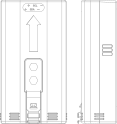
ACWFDBT Line Art
 
  • Micro USB connector
  • Lithium Ion battery
  • 6250mAh / 3.6V
  • Quick-release tab
  • Works with U471AA wire-free camera

Reviews

Overall rating: 4.614286 / 5 from 70 reviews.

AI Generated Review Summary

Summary topics

Review topics: [packaging, battery, system, camera, charge, camera’s].

Review highlights

Reviews

KUDOS

"My security camera battery finally went bad after several years. I was surprised I could still purchase one. I received the battery in a few days, repaired my camera and the system is working fine. Nice job for Lorex providing good systems and then supportive them. I will purchase my next sy5from them in the future."

Richard H. (5/5)

Terrible experience and batteries

"I ordered 2 replacement batteries and the batteries I received do not even last 24 hours. Same as my old dead batteries. I contacted sales support and they told me they can't help it's a technical issue. Sorry, you sent me dead batteries. That's a sales problem"

Ryan (1/5)

well you might not want

"well you might not want to hear , but i am not happy with your help line with my problems i have 2 u471 battery cameras, and a hc64a system that worked great until january , when the batteries would deplete in about 3 days after charge i went to lorex help and couldnt get an answer as to how to tell if it was the batteries or the cameras ,i sent a question in on weather the new battery cameras availble would work with my home center, got no answer i bought the cameras found out myself they would not work with my existing system so i sent them back 2 days later i got a response to my question , no they will not work ! so i paid the shipping cost and went on to buy 2 new batteries that do the same thing as my existing ones now i called again and was told you no longer have any outdoor cameras long story short"

Ronald S. (2/5)

The batteries worked for a

"The batteries worked for a week and now are not staying charged any longer than the old ones do. The camera's still work great after several years!"

Cynthia J. (1/5)

For some reason, the full

"For some reason, the full charge only last a couple of days. Not sure if the temperature has a part to do with it. From 100%, it drops to 50% within a day, and down to 20% by the end of the 2nd day."

Vincent N. (2/5)

Life of product (battery) good

"Life of product (battery) good so far (2+yrs), but disappointed product discontinued, and worried support and/or app will be discontinued as well"

Mark J. (4/5)

Original batteries died

"Work great!"

Austin (5/5)

System failed

"I installed the new battery and the system went offline and I have been unable to bring it back."

Ron C. (1/5)

So far so good!

"So far so good!"

Geoff M. (5/5)

Spare batteries minimize camera down time.

"Spare batteries minimize camera down time. There is no waiting for the battery to be recharged before the camera can be placed back in service. These batteries are the same as the original camera battery and replacement is quite easy to do."

David D. (5/5)

Q&A

I have the same question for the battery. How to take it out from the camera? It is very hard to get it out by fingers. You said "loosen the locking screw". But I didn't see any screw supplied with battery though I did see a small hole on the battery pack for screw. What is the size spec for the screw? Did you suppose to provide?
If you are wondering how to charge the camera, there are two options for charging the battery. Charge the battery by turning the bottom cover of the camera counterclockwise, remove the battery from the camera and plug the charging adapter into the battery. Charge the battery inside the camera (only applies if the battery is inserted in the camera). Simply lift the power port cover and use the included charging adapter and cable to connect it to the camera's power port and plug it into a power outlet.
I NEED BATTERY MODELacbatt3-ct 3 cell power pack G2
You can call our sales team; they will be happy to assist you. Sales Help: 1-888-425-6739
can the USB connector be left attached to the battery and plugged into an electrical outlet
Yes.
How long the battery last
Depends on the location of the cameras, and the amount of event it detects per day.
after you've recharged the (original) battery do you have to press the reset button on it? we are getting a "Camera Offline" message on the hub. All other cameras on ok.
No, you don't have to press the reset button, however if your camera is showing offline, please reset and add it again to the hub.

You may also like