Lorex 4K (32 Camera Capable) Elite Series 6TB NVR with 16 Channel PoE Switch

Lorex 4K (32 Camera Capable) Elite Series 6TB NVR with 16 Channel PoE Switch

Skip to product information
Lorex Pro App badge
Lorex 4K (32 Camera Capable) Elite Series 6TB NVR with 16 Channel PoE Switch
Elite Series|
N884A36B-W

Lorex 4K (32 Camera Capable) Elite Series 6TB NVR with 16 Channel PoE Switch

Key Features:

  • 4K Ultra HD Resolution
  • Built-in 8TB Storage. Expandable up to 2 × 16TB
  • Connect up to 32 cameras (32 Wired)
  • Works with the Lorex Pro mobile app

Become a Partner and Log in to access volume pricing, build your system, and place orders.

Add-ons

Quick Order

Become a Partner and Log in to access volume pricing, build your system, and place orders.

Product Compatibility List

What's Included

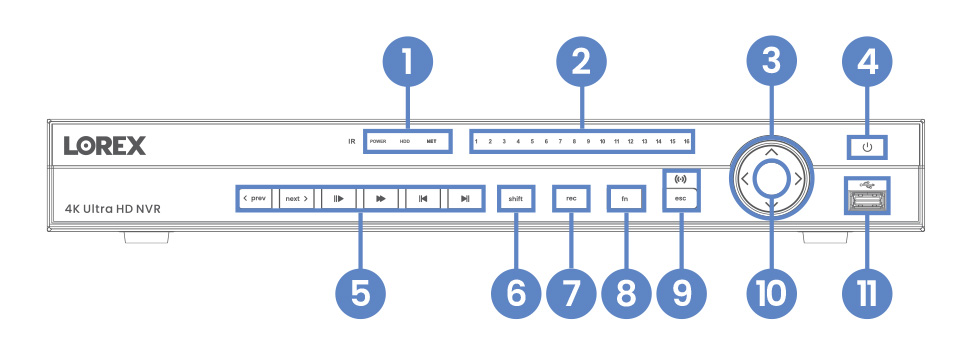
N884 Front Overview
  1. Power, Hard Drive & Network Statuses
  2. Channel Statuses
  3. Navigation Controls
  4. Power Button
  5. Playback Controls
  6. Switch Keyboards (shift)
  7. Start/Stop Recording (rec)
  8. Special Functions (fn)
  9. Back/Cancel (esc)
  10. Info Button
  11. USB Port
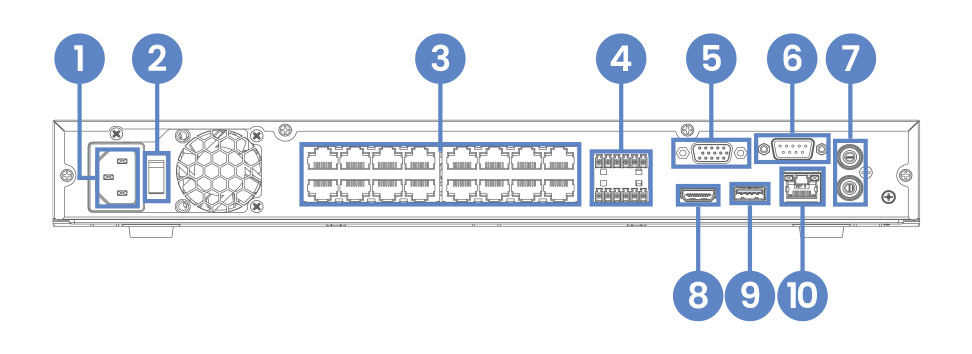
N884 Back Overview
  1. Power Connection
  2. Power Switch
  3. Camera Connection (PoE)
  4. RS485 Alarm
  5. Monitor Connection (VGA)
  6. RS232
  7. Audio In/Out
  8. Monitor Connection (HDMI)
  9. USB Port
  10. Network Connection (LAN)
 

Package Contents:

4K NVR

Ethernet Cable

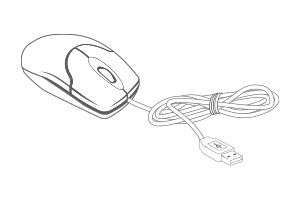
USB Mouse

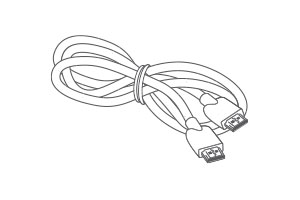
HDMI Cable

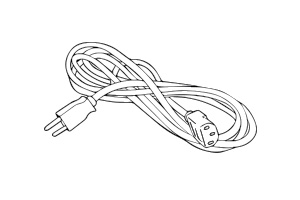
Power Cord

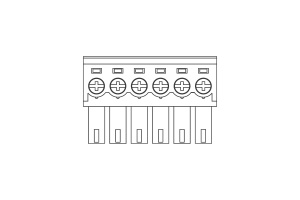
2 × 6-Pin Cable Adapter

Product Specifications

In this bundle

Select a component to view its specifications.

N884A36B Product Specifications

Product Support

Reviews

Overall rating: 4.757576 / 5 from 33 reviews.

AI Generated Review Summary

Summary topics

Review topics: ["system","hdd","equipment","app"].

Review highlights

Reviews

New NVR

"I use the App to monitor my cameras and replaced my older 2TB NVR with this model. The live playing of nine cameras works much better than the old NVR/App combo. . . playback is still quite clunky if I am trying to search for a particular event. I have found the NEST camera/app works much better to scroll through to find a specific event, so maybe take a look at what they do and work to get the user interface for paybacks simpler."

— Gary G. (5/5)

OK BUT NOT AS I

"OK BUT NOT AS I ACPECTED"

— sandip p. (3/5)

We have use lorex NVR's

"We have use lorex NVR's for at least 15 year. Upgraded to latest model to manage more cameras. Works find. User manual is inaccurate, or incomplete. FAQs are poor substitute. Trial and error is best path to get things running. I bet there is more functionality untapped/hidden inside. I used other smaller and cheaper system for parents house. They are easier to use."

— John D. (3/5)

I love the cameras and

"I love the cameras and the NVR, the only thing I wish there were more videos to instruct on the NVR setup and setting up the AI tracking on the cameras. But other than that the hardware is really second to none. Thank you Steve"

— Steve T. (5/5)

Definitely needs an operation manual.

"Definitely needs an operation manual. I'm new the Lorex security cameras. I'm finding they are an amazing asset for my property. But I had to click and learn all of the functions. This didn't impress me for such a grand product."

— Bryan S. (4/5)

EXELLENT PICTURE QUALITY AND PROFESIONAL

"EXELLENT PICTURE QUALITY AND PROFESIONAL SUPPORT BY LOREX TECHNICAL TEAM."

— Hatim H. (5/5)

Perfection

"It is so easy to set up and add cameras plug and play and on the network"

— Hard H. (5/5)

Remote for my Speaker system changes input on NVR

"Purchased the N884A38B and love it so far. . Only weird thing is when I use my remote for my speaker system it changes the camera view on my monitor. Any ideas what may be going on here??"

— Alfred U. (5/5)

Je possède déjà 4 enregistreurs

"Je possède déjà 4 enregistreurs Lorex de générations inférieures. Celui-ci est de loin supérieur. Très bon système. Livraison très rapide. Je n'hésiterai pas a en acheter un autre pour mes entreprises."

— Sylvain G. (5/5)

Nice system and cams. Instructions

"Nice system and cams. Instructions for setup are good as well. Need an overview showing overall menu tree to help find what is needed. Mouse setup only no keyboard access slows the setup down a little. Customer service lines breakup a lot causing multiple calls to get things setup. Would be glad to help with a more detailed feedback if needed."

— Dave N. (4/5)

Q&A

You may also like